Data Types
In any program, the computer will be manipulating data, that is the point of a program after all! But computers process different types of data differently. For example, integer numbers are processed differently from decimal numbers, which are processed differently from strings of characters, and data types allow the computer to process different data properly.
Data Storage
Before we can talk about types of data, we need to talk about how data is stored. Computers store information in individual small segments called bits. Bits are units of information that store either a 0 or a 1. All information on a computer is made up of 0s and 1s strung together in meaningful ways. These 0s and 1s are represented by electrical signals. In a wire, a 0 represents no electricity flowing through the wire, while a 1 represents electricity flowing through the wire.
While a single bit is useful, computers almost never work with just one bit at a time. Instead, bits are grouped together into larger chunks called bytes. A byte is made up of 8 bits. Since each bit can be either a 0 or a 1, a byte can store 256 different combinations of values.
For example, the byte:
01000001
is simply a sequence of 8 bits. Depending on how the computer interprets those bits, that byte could represent a number, a letter, part of an image, or even part of a sound file.
Computers use different data types to decide how bytes should be interpreted. The exact same bits can mean completely different things depending on the data type being used.
Integers
Integer data types store whole numbers such as:
5
-12
1024
Computers store these numbers in binary, which is a number system made entirely of 0s and 1s. For example, the decimal number:
13
is stored in binary as:
00001101
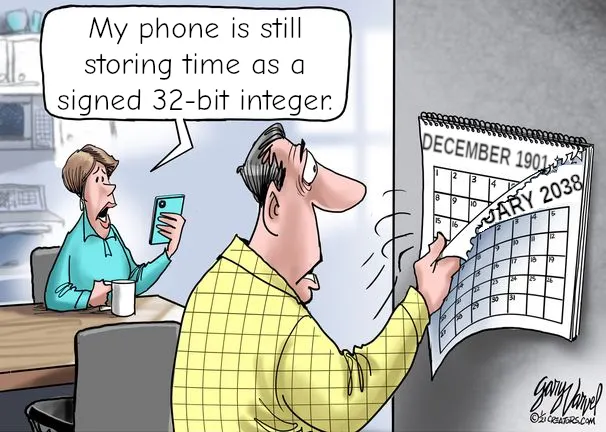
Different integer data types use different numbers of bytes. In Java:
- A
byteuses 1 byte (8 bits) - A
shortuses 2 bytes - An
intuses 4 bytes - A
longuses 8 bytes
Larger data types can store larger numbers because they contain more bits.
Decimal Numbers
Decimal numbers such as:
3.14
-0.75
12.5
cannot be stored the same way as integers because they contain fractional values. Computers typically store decimal numbers using a format called floating point notation. Instead of simply storing the digits directly, the computer stores:
- the sign of the number
- the significant digits
- the position of the decimal point
In Java:
- A
floatuses 4 bytes - A
doubleuses 8 bytes
Because floating point numbers are more complicated internally, they can sometimes introduce small rounding errors.
Characters and Text
Characters are also stored using bytes. Each character is assigned a numeric code using an encoding standard such as ASCII or Unicode.
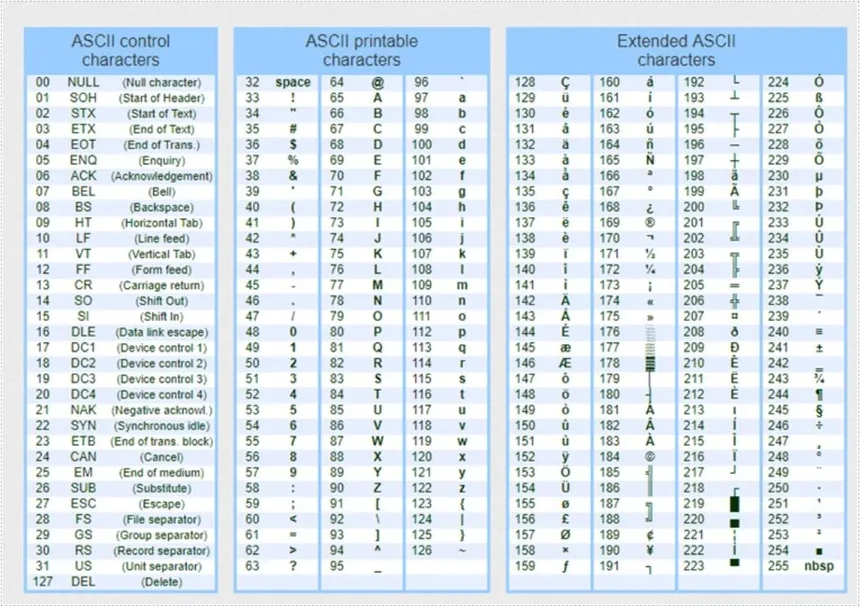
For example:
A = 65
B = 66
C = 67
The character:
A
can therefore be stored as the binary value:
01000001
Strings of text are simply many characters stored one after another in memory. The word:
HELLO
is actually stored as a sequence of character codes, each represented with bytes.
Why Data Types Matter
Since all data is ultimately stored as bits and bytes, the computer must know how those bits should be interpreted. Is:
01000001
supposed to represent:
- the number 65?
- the character
A? - part of a decimal number?
Data types provide those rules. They tell the computer:
- how many bytes to use
- what the bits represent
- what operations can be performed on the data
Without data types, the computer would have no idea how to interpret the raw bits stored in memory.
TL;DR
| Name | Type | Size | Min Size | Max Size |
|---|---|---|---|---|
| byte | Integer | 1 byte | -128 | 127 |
| short | Integer | 2 bytes | -32,768 | 32,767 |
| int | Integer | 4 bytes | -2,147,483,648 | 2,147,483,647 |
| long | Integer | 8 bytes | -9,223,372,036,854,775,808 | 9,223,372,036,854,775,807 |
| float | Decimal | 4 bytes | ||
| double | Decimal | 8 bytes | ||
| boolean | Boolean | 1 byte | ||
| char | Character | 1 byte |